Zlog Deployment Guide (1/3): Which Mode Should You Choose?
Zlog is a blog system with a built-in admin panel: the desktop app ships a complete web server and writing dashboard. You can use it locally, sync to a cloud database, or publish to the public web in one click. This first post helps you pick the right mode; the next two cover Turso cloud sync and one-click Vercel deployment.
Download APP:https://github.com/zephyr110/zlog/releases
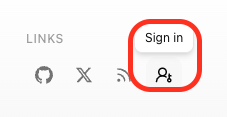
Log in to the backend management system: https://zlog-test.vercel.app/admin or click the "Backend" entry button at the bottom. As shown in the figure below.
The Three Modes at a Glance
| Local use | Local + Turso sync | One-click Vercel | |
|---|---|---|---|
| Best for | Private notes, local preview | Safe backup, multi-device | Public website for everyone |
| Setup | Zero config | Turso account + connection URL | Vercel account + token |
| Where data lives | This machine | This machine + cloud DB | Cloud DB (Turso) |
| Who can see the blog | Only you | Only you | Everyone |
| Effort | ★☆☆ | ★★☆ | ★★★ |
Decision Tree
- Just want to write privately, no hassle → install the desktop app and start locally (below).
- Worried about losing data, or writing from several devices → add Turso sync, see part 2.
- Want to share the blog with anyone → on top of sync, use the in-app "Go Live" deploy to Vercel, see part 3.
“Recommended path: start locally (5 minutes), add cloud sync (10 minutes), then publish when ready (2–5 minutes). Each step builds on the previous one — nothing needs redoing.
Quick Start: Local Use
- Install the Zlog desktop app (macOS / Windows) and open it.
- First launch completes initialization automatically: set the admin account in Settings → Account; the local database is created alongside the app.
- Click "Open Admin" to start writing: Markdown, post covers, tags, comment moderation, media library, and a traffic dashboard.
Data lives in the user data directory (macOS: ~/Library/Application Support/@zlog), fully offline; the blog is served at http://localhost:<port>.
FAQ
Q: Are the free tiers enough? A: Vercel Hobby and the Turso free plan comfortably cover a personal blog (a few hundred visits/day, dozens of posts).
Q: Forgot the admin password? A: Regenerate a recovery key in Settings → Account, or re-initialize the local config.
Q: Do I have to redo anything to switch modes later? A: No. Local → sync → publish is progressive; the configurations don't conflict, and you can do just one step at any time.
Next: Turso Cloud Sync